


Cards - Mobile Wallet
4.65.75K Reviews
App Specs
- Version
- 4.1.11
- Updated On
- License
- Free
- Downloads
- 10,000,000+
- Developer
- Cards
- Categories
- Productivity
- Platform
- Android, iOS
Screenshots
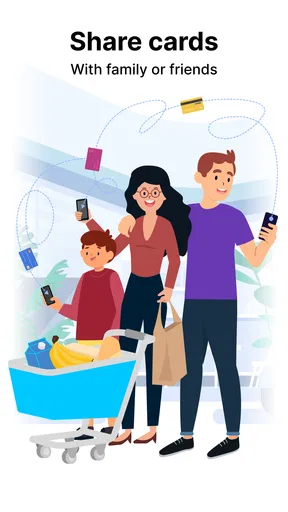
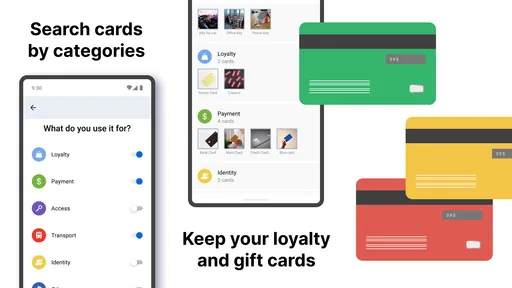
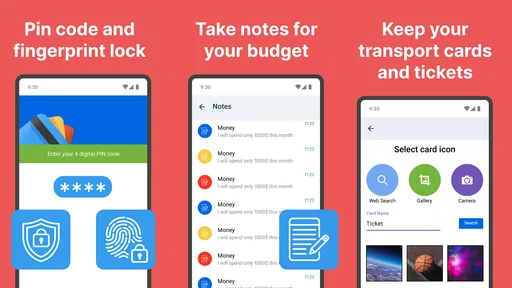
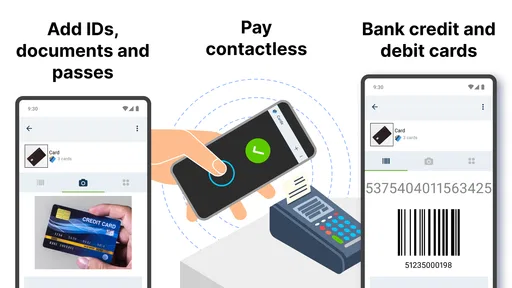
 Analysis by AppCompare
I find the most useful way to think about Cards - Mobile Wallet is as a place to keep the everyday cards you want to reach quickly, rather than as a complete replacement for every physical wallet. That distinction matters: storing a card on your phone can make it easier to find, but it does not automatically mean every shop, gate, or service will accept it in place of the original. I’d treat the app as a practical companion and keep essential physical cards available when a failed scan or an unfamiliar checkout would cause trouble.
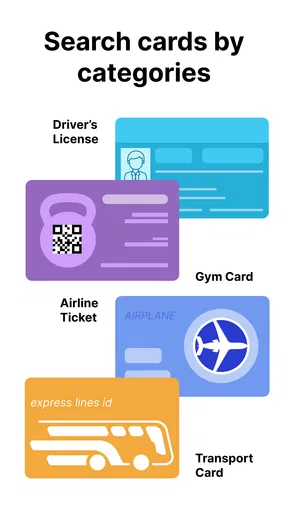
A digital place for cards, tickets, passes, and keys
Cards is a productivity app from developer Cards, built around bringing useful wallet items onto a phone. Its appeal is straightforward: instead of digging through a crowded wallet for a loyalty card or a pass, I can look for the item on the screen. For someone who carries several cards they use only occasionally, that small change can make an ordinary errand feel less cluttered.
The idea suits more than one kind of user. A shopper may want loyalty cards close at hand, while a traveler might prefer to keep relevant tickets or passes together with the cards they use on a trip. The important question is not simply how many items can be collected, but whether the items I need are easy to identify when I’m standing at a counter or about to enter a venue.
How I’d make it useful day to day
I’d start by adding only the cards I use regularly, then arrange my habits around finding them quickly. A useful, slightly less obvious approach is to think in terms of situations rather than card types: the items I need for a grocery run can be easy to locate together, while travel-related items can be kept mentally separate from everyday shopping. Even if an app’s organization is simple, deciding what belongs in the wallet before it gets crowded makes retrieval easier.
For example, on a quick grocery stop I might need a loyalty card but not the collection of passes I use elsewhere. Having the relevant item ready on my phone saves a search through plastic cards, yet I would still check that the store accepts the digital version before relying on it. That modest bit of preparation is more dependable than discovering a compatibility issue while a line forms behind me.
Offline access is especially useful in a narrow but realistic situation: I’ve already saved the items I need, then arrive somewhere with poor reception. Being able to open a stored card without an internet connection can remove one source of friction. I would still make sure the item is present and readable before leaving, rather than assuming that every ticket, key, or pass will behave the same way in every setting.
What to expect from a mobile wallet
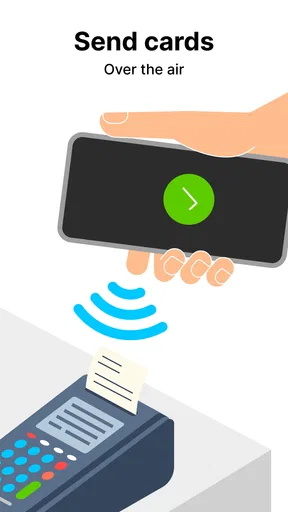
Cards is not the same thing as a bank’s payment app or a phone’s built-in contactless payment service. A stored card image or digital entry can help me present information, but that alone does not guarantee that tapping the phone will complete a payment. If my main goal is contactless checkout, I’d use a payment option designed for that job and keep Cards for organizing the wallet items it supports.
Worth Reading Before You Choose

EA SPORTS FC Mobile 26 Is a Bigger Football Game, but It Takes Time

Flipboard Shows What News Apps Must Do Beyond the Feed

Switching to Android Auto Means Rethinking Your Driving Routine

Google Calendar Makes a Crowded Week Easier to Manage

Ludo King Makes the Most of the Minutes Between Plans

Baby Panda World Brings Quick Play to Modern Phones, but Its Game Library Feels Busy
That difference is worth understanding before moving everything off paper. Some merchants may want to scan a barcode; others may need to inspect a pass or take a physical card. I’d test my most important items in low-stakes situations first, and retain a backup for anything I can’t afford to lose access to. Convenience is real, but it depends on the place accepting the digital format.
Cards has been available since May 21, 2013, and its current version is 4.1.11. It is free to download, with in-app purchases ranging from $0.99 to $99.99 per item. The app is rated for Everyone and requires Android 6.0 or later on Android; its broad availability is reflected in over 10 million installs, alongside a 4.6 average from around 305,000 ratings. Those figures suggest that many people have tried it, though what matters to me is whether its particular approach fits the cards I actually use.
What Makes Cards - Mobile Wallet Stand Out?
First off, the app's design is sleek and intuitive. You know that feeling when you open a new app and it just feels... right? That's what Cards - Mobile Wallet offers. It’s super easy to navigate, and you don’t need to be a tech wizard to get the hang of it.
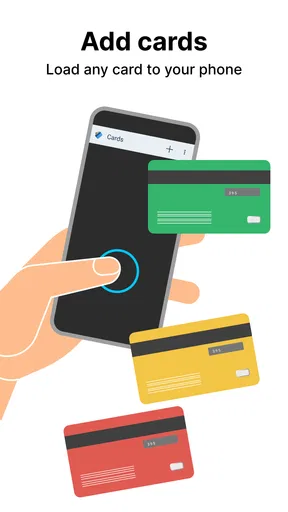
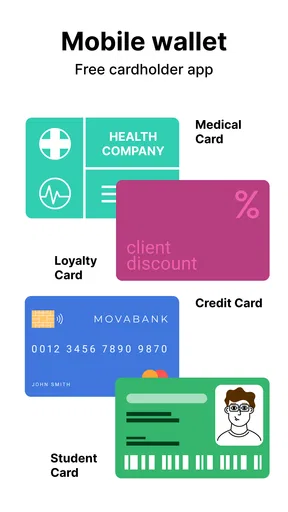
With this app, you can store all your cards digitally. Whether it's your credit cards, loyalty cards, or even gift cards, Cards - Mobile Wallet has got you covered. Imagine walking into a store with just your phone and having everything you need right there. Pretty cool, right?
Easy Setup and Versatility
Setting up the app is a breeze. I was able to add my cards by simply scanning them with my phone's camera. The app does all the heavy lifting, so you don’t have to worry about entering details manually. It even organizes them for you, which is a nice touch.
One of my favorite features is the app's ability to work offline. So, even if you find yourself without an internet connection, you can still access your cards. It's like having a safety net, just in case!
To get the most from that convenience, I’d add an item while I have time and then check that the saved version is recognizable. A scan that looks fine in a quiet moment may be harder to use if a barcode is cropped, a card is worn, or a screen is dim in bright daylight. Keeping the original until I’ve successfully used the digital copy is a sensible transition, especially for anything tied to travel or access.
Security and Privacy
Now, I know what you're thinking: is it safe? The developers have really put a lot of thought into security. Your data is encrypted, and you can use biometric locks like fingerprint or face recognition to keep your info secure. It's reassuring to know that your sensitive information is well-protected.
Also, the app doesn’t store your information on their servers, which means it’s all kept on your device. This is a big relief for anyone concerned about privacy.
I’d still be selective about what I put in any digital wallet. A phone can be misplaced, shared, or left unlocked, so a biometric lock is useful only if I also use the phone’s own security sensibly. I would avoid treating a convenient digital copy as a reason to photograph or store information I do not need on hand. For someone who prefers not to keep personal wallet items on a phone at all, a physical card holder remains the clearer choice.
Real-Life Usability
Let’s talk about how useful this app is in real life. I tested it out on a shopping trip, and it worked flawlessly. I didn’t have to fumble around with my wallet or worry about losing any cards. Paying with my phone was simple and fast, and the look on the cashier's face when I pulled out my "magic wallet" was priceless!
The app also integrates with your phone’s notifications, so you get reminders about your card’s expiration dates or any new offers from your loyalty cards. It’s like having a personal assistant that keeps you on top of things.
In practice, I’d make the first test somewhere I’m not in a rush. If a shop needs a physical card, I can find that out without holding up a queue; if a pass is accepted from the phone, I can then rely on that routine next time. I’d also keep the phone charged before a long day out. Digital access is only convenient while the device is usable, which is an easy detail to overlook when replacing a pocketful of cards.
Why You Should Try It
If you’re someone who loves convenience and hates clutter, Cards - Mobile Wallet is definitely worth a try. It’s like Marie Kondo for your wallet – everything is neat, organized, and at your fingertips. Plus, it’s free to download, so there’s really no reason not to check it out.
So, whether you're a busy professional, a student, or just someone who loves staying organized, give Cards - Mobile Wallet a shot. You might find that it’s exactly what you’ve been missing in your digital life.
Ready to declutter your wallet and simplify your life? You can download the app right now from the App Store or Google Play. Happy organizing!
Who is likely to get the most from it?
I think Cards is most useful for people who carry several non-payment cards and regularly waste time looking for the right one. If a loyalty card, ticket, or pass is often buried in a bag, keeping its digital version accessible can make small routines smoother. It is also a reasonable fit for someone who wants a single place to check before leaving home, rather than remembering which pocket or card sleeve holds each item.
It is less compelling for someone who carries only one or two cards, rarely forgets them, or already has a dependable system that works. It may also be the wrong primary option for anyone who expects every item to scan everywhere, needs a guaranteed substitute for an identity document, or wants a payment wallet first and foremost. In those cases, the relevant provider’s official app, a built-in payment service, or the physical card may be a better match.
A few practical checks before relying on it
When deciding whether to keep an item here, I’d ask what happens if the phone is unavailable and whether the place I’m visiting accepts a digital copy. Those checks help separate low-risk convenience cards from essentials that deserve a backup. I’d also review the wallet occasionally: removing expired or rarely used entries can make the cards I need easier to spot, and avoids turning a tidy digital collection into another crowded drawer.
The app’s 5.6 thousand written reviews and more than 10 million installs add context to its reach, but popularity cannot answer the most personal question: whether the exact cards in my wallet work well in digital form. I’d start with one or two frequently used items, learn how they behave in my usual shops, and expand only when the workflow feels reliable. That cautious approach gives me the convenience without forcing an all-or-nothing switch.
Overall, I see Cards as a practical organizer for selected wallet items, not a universal replacement for physical cards or dedicated payment tools. Its offline access and straightforward premise can be genuinely helpful when I prepare ahead, while compatibility and phone dependence are real trade-offs. If reducing wallet clutter is the goal, I’d give it a try and keep a backup for the items where reliability matters most.
Pros
- Easy-to-use interface for quick setup.
- Secure encryption for data protection.
- Supports multiple card types.
- Seamless integration with most banks.
- Fast transactions with minimal lag.
Cons
- Limited customization options.
- Some features require a premium account.
- Occasional sync issues with devices.
- No offline mode available.
- Requires frequent updates.
FAQs for Cards - Mobile Wallet
What is Cards - Mobile Wallet, and how does it work?
Cards - Mobile Wallet is a digital application that allows you to store and manage all your essential cards, such as credit cards, loyalty cards, and IDs, directly on your smartphone. By using secure encryption and cloud backup, it ensures that your information is safe and accessible wherever you go.
Is Cards - Mobile Wallet safe to use for storing sensitive information?
Yes, Cards - Mobile Wallet employs advanced security measures, including encryption and biometric authentication, to protect your data. It ensures that your sensitive information is stored securely and is only accessible to you, providing peace of mind when managing your cards digitally.
Can I use Cards - Mobile Wallet offline, or does it require an internet connection?
While Cards - Mobile Wallet optimally functions with an internet connection for features like syncing and updates, it can also be used offline. Stored cards are accessible without needing to connect to the internet, ensuring that you can access your essential cards anytime, even without connectivity.
What types of cards can I store in Cards - Mobile Wallet?
Cards - Mobile Wallet supports a wide range of card types, including credit and debit cards, loyalty cards, membership cards, IDs, and more. The app provides flexibility, allowing you to store virtually any card with a barcode, QR code, or simply by entering the card details manually.
Is Cards - Mobile Wallet compatible with all smartphones?
Cards - Mobile Wallet is designed to be compatible with both Android and iOS devices. The app requires a minimum version of the operating system, which is usually specified in the app store. It is advisable to check compatibility before downloading to ensure smooth functionality.


